
GPT Image 2
Try GPT Image 2 online: describe an image, or upload up to 16 photos and say what to change, then download the result. Your first image is free, no sign-up.
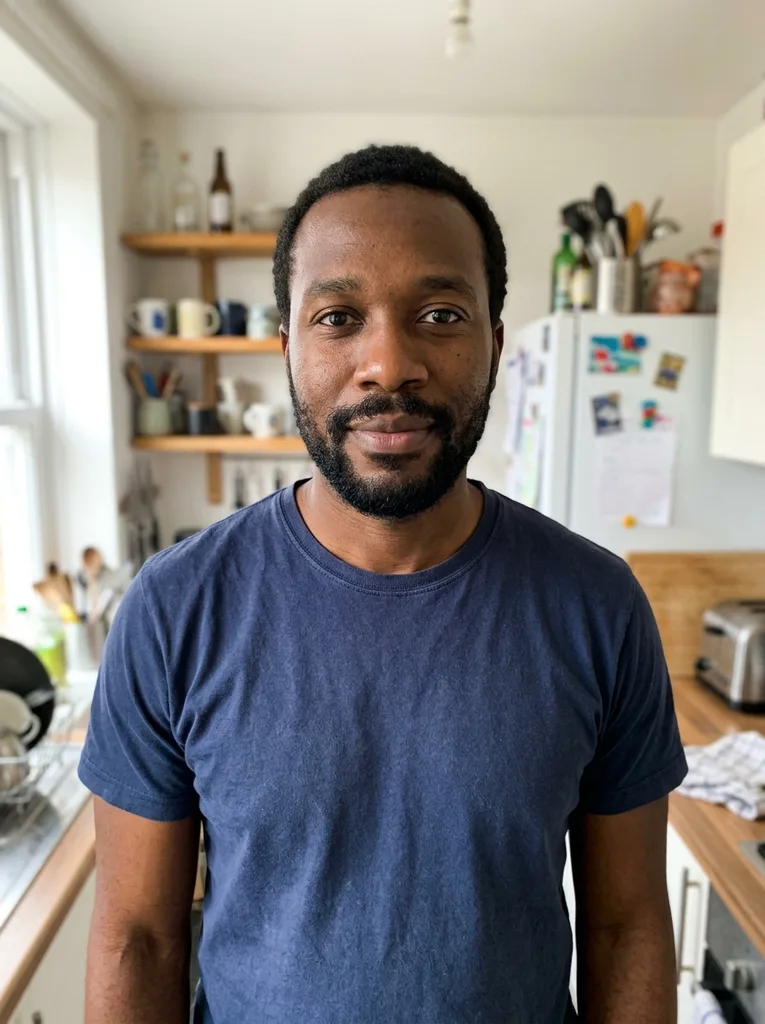 Before
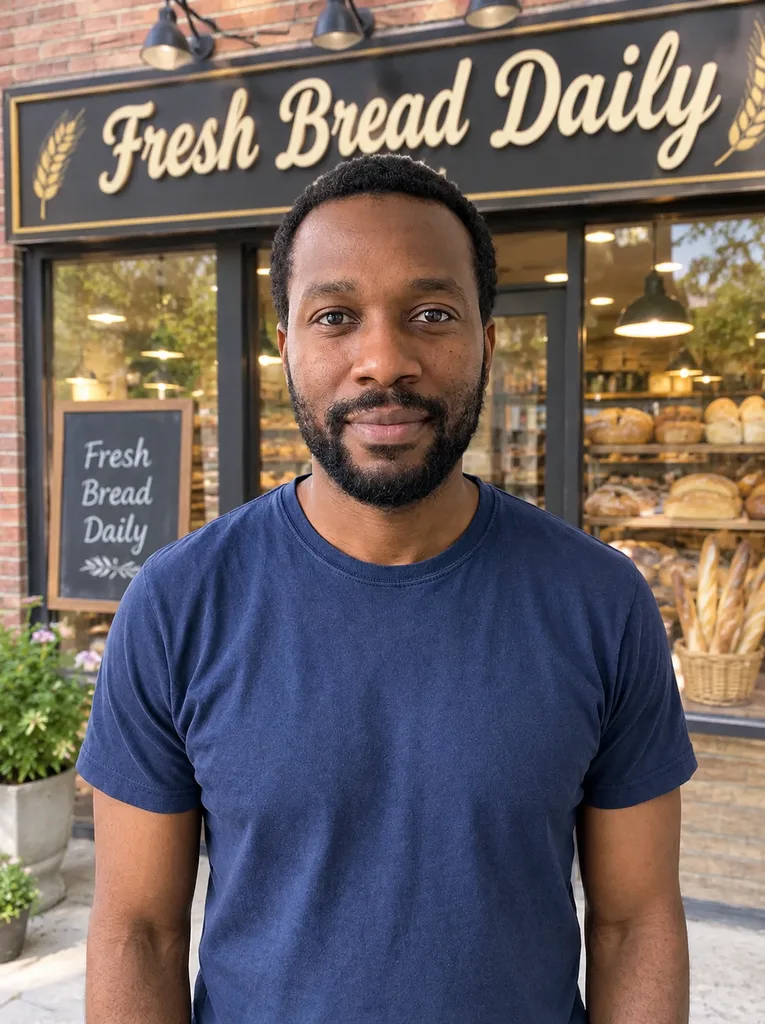 After
Example result. Describe your image to make yours.
Examples
BeforeAfterWhat is GPT Image 2?
GPT Image 2 (also written GPT Image 2.0) is the image model OpenAI released in April 2026 and calls ChatGPT Images 2.0 inside ChatGPT. OpenAI says it adds reasoning to image generation. This page runs that model, so you can try it without an API key or a ChatGPT account.
It is an independent tool, not operated by OpenAI and not ChatGPT: there is no chat here. You write one prompt, add photos if you want, and get one image. The prompt reaches the model as you wrote it, so say what to change and what to keep.
Photos are optional. With none, the model creates a picture from your prompt; with one or more, it edits the first and uses the rest as references.
Made for
- Curious testers
- Designers
- Marketers
- Online sellers
- Content creators
Why try GPT Image 2 here
The model itself
This page runs GPT Image 2 for creating and editing images. Nothing is added to your prompt, so the result reflects what you asked.
Up to 16 images per run
Upload the image to edit plus up to 15 references: a product, a face, a style to copy. Say in the prompt what each reference is for.
Free first image, no sign-up
You get one free image of GPT Image 2, counted per visitor across the whole site. There is no account and no card, so pick the photo and prompt you most want to test.
iPhone photos accepted
JPG, PNG, WEBP and HEIC or HEIF files work, up to 10 MB each. HEIC is converted in your browser, and each photo is scaled to a 2048 px long edge before upload.
Aspect ratio, your pick
Pick Auto or one of seven aspect ratios. Auto follows the shape of your photo. Each run makes one 1K image.
Failed runs are free
If a generation fails, it is not counted against your free image. The tool says so on screen, and you can try again.
What to try with GPT Image 2
Six prompts that show what GPT Image 2 does with your own photo.
Text inside an image
Ask for a sign, label or poster headline on your photo and put the exact words in quotes. Check every letter in the result.
A product in a new scene
Upload the product and a scene photo as a reference, then ask for the product placed in that scene. Say which details must stay the same and compare with your original.
A restyled portrait
Turn a photo into an illustration, a clay figure or a poster look. Name the style and tell the model to keep the face and pose, then check the likeness yourself.
Social and ad graphics
Start from a screenshot or layout photo and ask for a banner or post version with your wording. Describe colors and placement in plain sentences.
Mixing several references
Use one image as the base and others for a face, an outfit or a background. With up to 16 images, describe each one's role in a few lines.
A draft before the real shoot
Try a mood, setting or color story on a reference photo before you brief a photographer or designer. It gives both sides something concrete to point at.
Free image, your photo and the limits
What is free
one free image of GPT Image 2 per visitor, counted per IP and per device, and it never resets. There is no paid plan on this site right now, so after that image the tool tells you the free tries are used up.
What happens to your photo
Your photo is only used to create your images and is never used to train AI models. Uploads are stored on Cloudflare. Your prompt and images go to the model provider, which keeps the result for a limited time so you can download it.
Independent, not OpenAI
This site is not operated, affiliated with or endorsed by OpenAI, and ChatGPT is not involved. You must be 18 or older to use it.
What it does not do
No chat, no brush or mask, no batch runs, and one image per run. The result is AI output: compare it with your original before you use it.